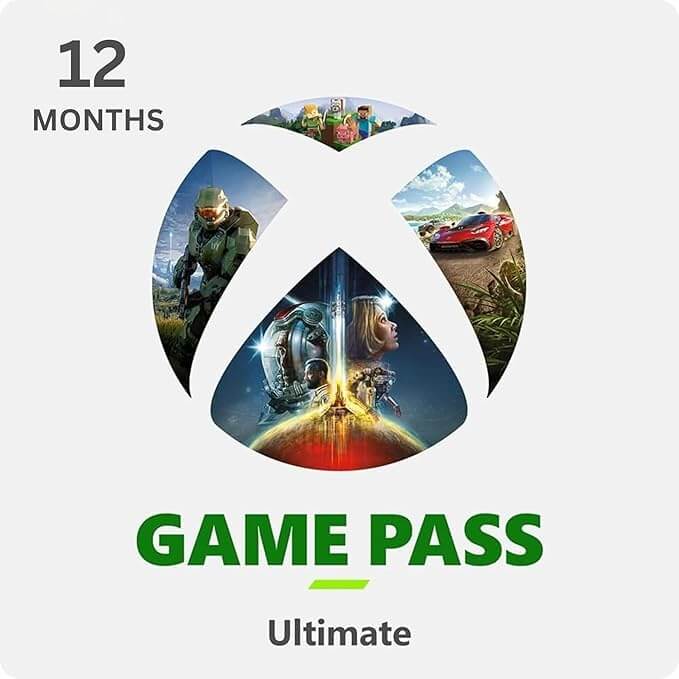







Xbox Game Pass Ultimate 12 Month Deal | Save 50% | Jaideepass
Xbox Game Pass Ultimate 12 Month Code vs Access Account comparison chart

บริการเกม

Xbox Game Pass Ultimate 12 Month

เลือกแพ็กเกจ:

เลือกแพ็กเกจ:

มีคนซื้อเมื่อ 4 วันที่แล้ว
รวม:
--
การชำระเงินที่ปลอดภัยโดย
Visa Mastercard Apple Pay Google Pay
จัดส่ง: < 1 ชม.
เวลาทำการ: Mon-Sun 09:00-23:00 (GMT+7). คำสั่งซื้อในเวลาทำการมักจะถูก xử lýภายใน 1 ชั่วโมง; นอกเวลาทำการจะใช้เวลาไม่เกิน 8 ชั่วโมง
บัญชีทางการ
ใช้งานได้ทันที
ราคาคุ้มค่า
รับประกันเต็มรูปแบบ

1. Choose Your Ultimate Plan

Both plans provide the full Game Pass Ultimate benefits, but they work differently:

Ultimate - Access Account

  • Type: Pre-made Account.
  • Device: Xbox Consoles ONLY (Series X/S or One). NOT for PC or Cloud.
  • Best For: Console gamers seeking the lowest price. You play entirely on YOUR OWN main account with your own independent saves, achievements, and trophies. No kicking, no interruptions.

Ultimate - Official Code

  • Type: Digital Redeem Key.
  • Device: PC, Console, and Cloud Gaming.
  • Best For: Players wanting the full native experience across all devices. Redeems directly to your personal account.

2. Compare Prices: Why Pay Retail?

Stop overpaying for monthly billing. Check our xbox game pass deal vs. the official store:

Plan Device Support Official Cost* Our Price
Ultimate (Access) 🎮 Console Only ~$360/yr $89.00
Ultimate (Code) 🖥️ PC + 🎮 Console ~$360/yr $209.00

3. How It Works

For Official Code:

  1. Receive Code via Email.
  2. Redeem: Go to microsoft.com/redeem to redeem.
  3. Start Playing.

For Access Account:

  1. Receive Credentials via email.
  2. Simple Activation: Follow our easy, step-by-step guide to activate on your console.
  3. Start Playing.

Guarantee: We provide complete instructions. Full Refund if the activation does not work on your console.

FAQ

What is the difference between 'Code' and 'Access'?

It comes down to devices and convenience:

  • Code: Works on everything (PC, Console, Cloud). It adds time directly to your account.
  • Access: Works on Xbox Consoles ONLY. It uses a separate account to 'share' access to your main profile. It does NOT work for PC Game Pass or Cloud Gaming on your main account.
If I buy the 'Access Account', do I play on your account or mine?

You play on YOUR OWN account. You only use the Access Account to activate the membership. Once set up, you switch back to your personal Gamertag. You keep all your own saves, achievements, and trophies.

Can I play Online Multiplayer with the 'Access Account'?

Yes. The "Home Xbox" feature shares both the Game Library and the Xbox Live Gold (Online Multiplayer) ability with your main account. You can play COD, FIFA, etc., online with friends.

Is the Access Account region locked?

No, our Access Accounts are Global. They work on consoles in any region that Xbox supported.

How many devices can I use with the Access Account?

The Access Account is strictly for 1 Console. You can only set 'Home Xbox' on one device at a time. If you need to play on PC or multiple devices, please buy the Official Code version.

รีวิวจากผู้ใช้

ให้บริการมากกว่า 3 ปี — มั่นคงไว้ใจได้

María G.'s avatar

María G.

Reviewed: Duolingo Max

อัปเกรดแล้วชอบมาก!

"เป็นการซื้อครั้งที่สอง! เคยใช้ Super มาก่อน ตอนนี้ Max คุ้มค่าทุกบาท"

October 18, 2025 (Verified Purchase)

Lucas R.'s avatar

Lucas R.

Reviewed: Duolingo Super

คุ้มค่าที่สุดกับราคา!

"คุ้มมาก! แผนครอบครัวทำให้ Super ราคาถูกและแชร์ได้ง่าย"

January 7, 2026 (Verified Purchase)

Maria G.'s avatar

Maria G.

Reviewed: Duolingo MAX

บริการยอดเยี่ยมและขั้นตอนที่ราบรื่น!

"การเข้าร่วมกลุ่มครอบครัว Duolingo max ผ่าน Jaideepass นั้นราบรื่นอย่างไม่น่าเชื่อ การไม่มีโฆษณาและหัวใจไม่จำกัดสร้างความแตกต่างอย่างแท้จริงในการเรียนภาษาสเปนของฉัน ขอบคุณสำหรับบริการที่ยอดเยี่ยมและคำแนะนำที่ชัดเจน!"

July 18, 2025 (Verified Purchase)

Kenji T.'s avatar

Kenji T.

Reviewed: Duolingo Super Plan

รวดเร็วและใช้งานได้จริง!

"เร็วมากและใช้งานได้สมบูรณ์แบบ ในที่สุดก็ไม่มีโฆษณาและหัวใจไม่จำกัดแล้ว! ขอบคุณมากครับ"

October 15, 2025 (Verified Purchase)

Chloe L.'s avatar

Chloe L.

Reviewed: Apple iCloud+

ในที่สุดก็มีพื้นที่พอ!

"ในที่สุดก็มีพื้นที่เก็บข้อมูลเพียงพอแล้ว! ตอนนี้ฉันสามารถสำรองรูปภาพทั้งหมดของฉันได้โดยไม่ต้องกังวลกับข้อความ 'พื้นที่เก็บข้อมูลเต็ม' อีกต่อไป โล่งใจสุดๆ"

July 07, 2025 (Verified Purchase)